How it works
Three steps. No templates, no handoffs, no HTML debugging.
Detailed walkthrough of how Brief2Prod turns a brief into production HTML for Mailchimp or Klaviyo. Every screenshot below is real product output.
01Input
Write a brief in plain language
Paste a Google Doc, a Slack thread, or type a one-line prompt. Brief2Prod parses intent, audience, offer, CTA, and tone.
- No rigid forms — natural language only
- 200–400 word briefs produce best results
- Multi-paragraph briefs supported
Pro tip
Specific briefs produce specific results. The more context you provide, the more accurate the output.
brief2prod.com / brief
Live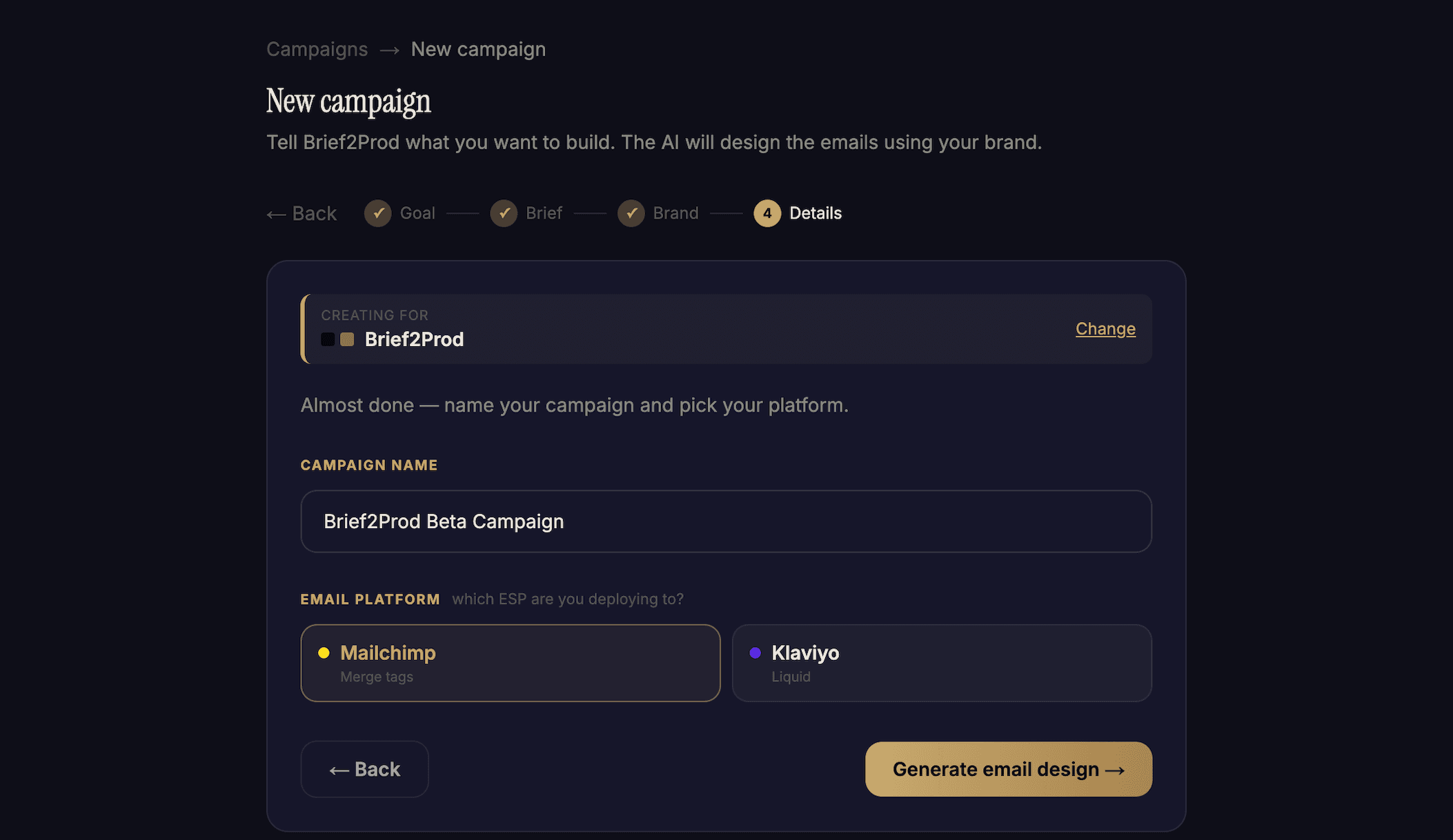
02Generate
Multi-agent AI handles every detail
Five specialized AI agents collaborate to produce production-grade output. Not one big prompt — five focused passes.
- 01Market ResearchAnalyzes your audience, industry, and current trends. Pulls competitive context.
- 02DirectorPlans the email layout based on goal and audience.
- 03CopywriterWrites headline, body, and CTAs in your brand voice.
- 04DesignerGenerates the actual HTML with your brand kit applied.
- 05QA AgentReviews everything and auto-fixes issues before you see it.
Average generation time: 30–45 seconds for a complete campaign.
brief2prod.com / generate
Live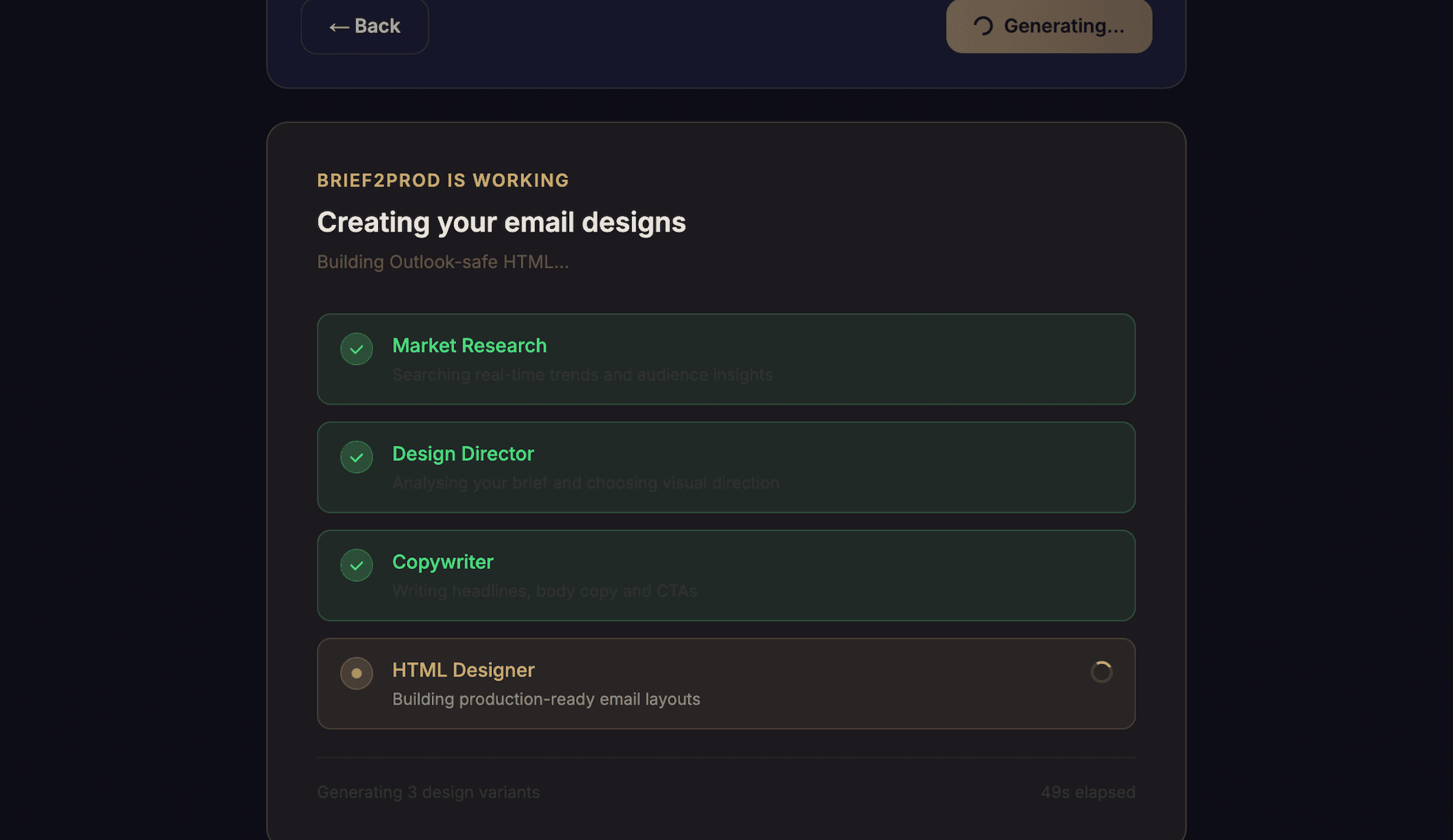
03Refine
Edit any section without breaking the rest
Each email is composed of independent blocks — header, hero, content, CTA, footer. Edit one without affecting others.
- Inline edits with natural-language prompts
- Regenerate sections one at a time
- Lock blocks you’re happy with
- Block library for reuse across campaigns
brief2prod.com / blocks
Live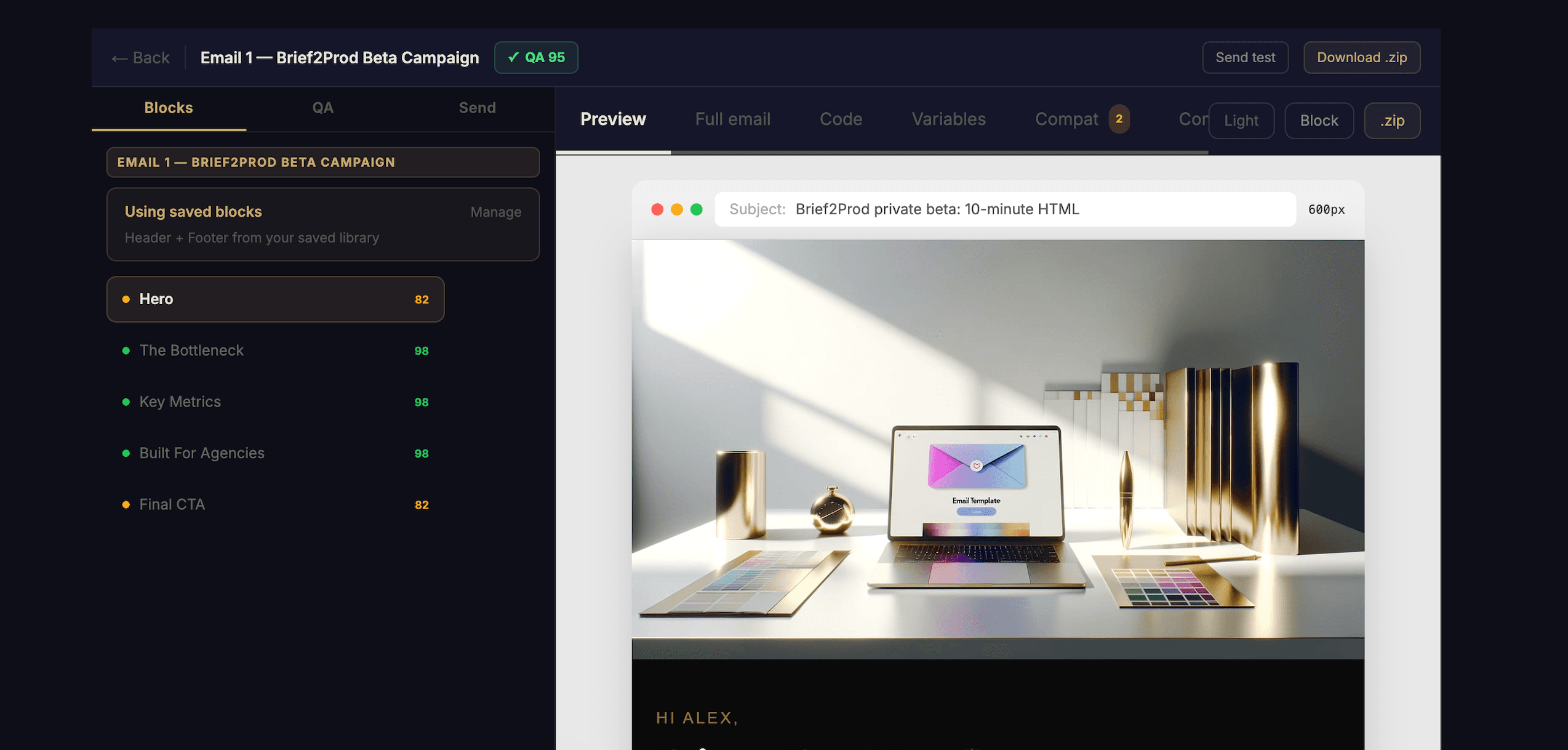
04Validate
QA agent catches what you’d miss
Every generation runs through automated quality checks. Catch issues before your client does.
- Broken links and missing alt text
- Major email client compatibility
- Mobile responsiveness
- Dark-mode rendering checks
- Spam-trigger words
- Token validation (Mailchimp/Klaviyo syntax)
- CAN-SPAM compliance footer
- Accessibility checks
100/100 score on average for production-ready emails.
brief2prod.com / qa
Live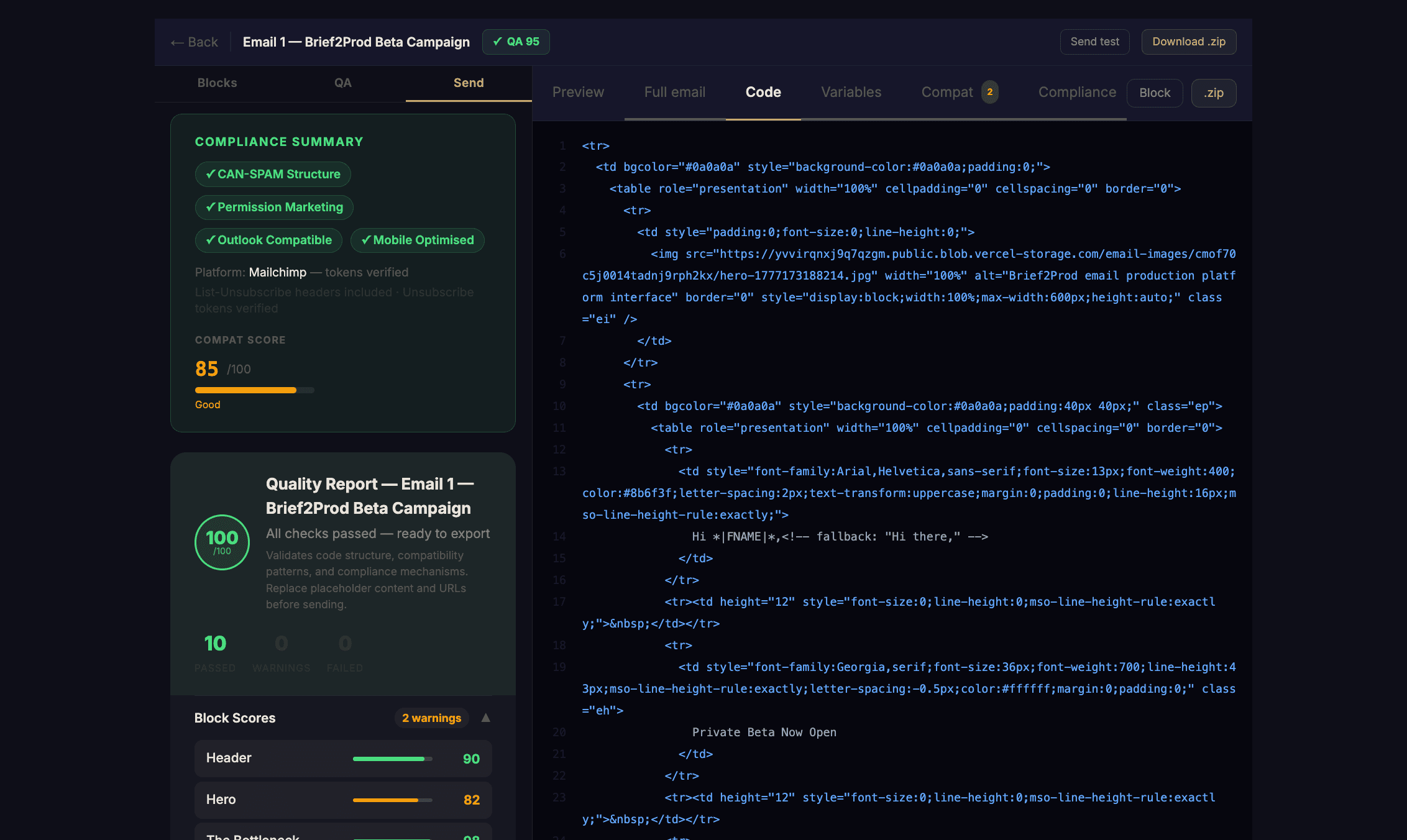
05Export
One click to your ESP
Export goes straight to your Mailchimp or Klaviyo account. Template lives there, ready to send.
What gets preserved
- Merge tags —
*|FNAME|*for Mailchimp,{{ first_name }}for Klaviyo - Subject lines and preheaders
- Footer compliance text
- Block-by-block structure preserved
More ESPs in development.
mailchimp.com / templates
Live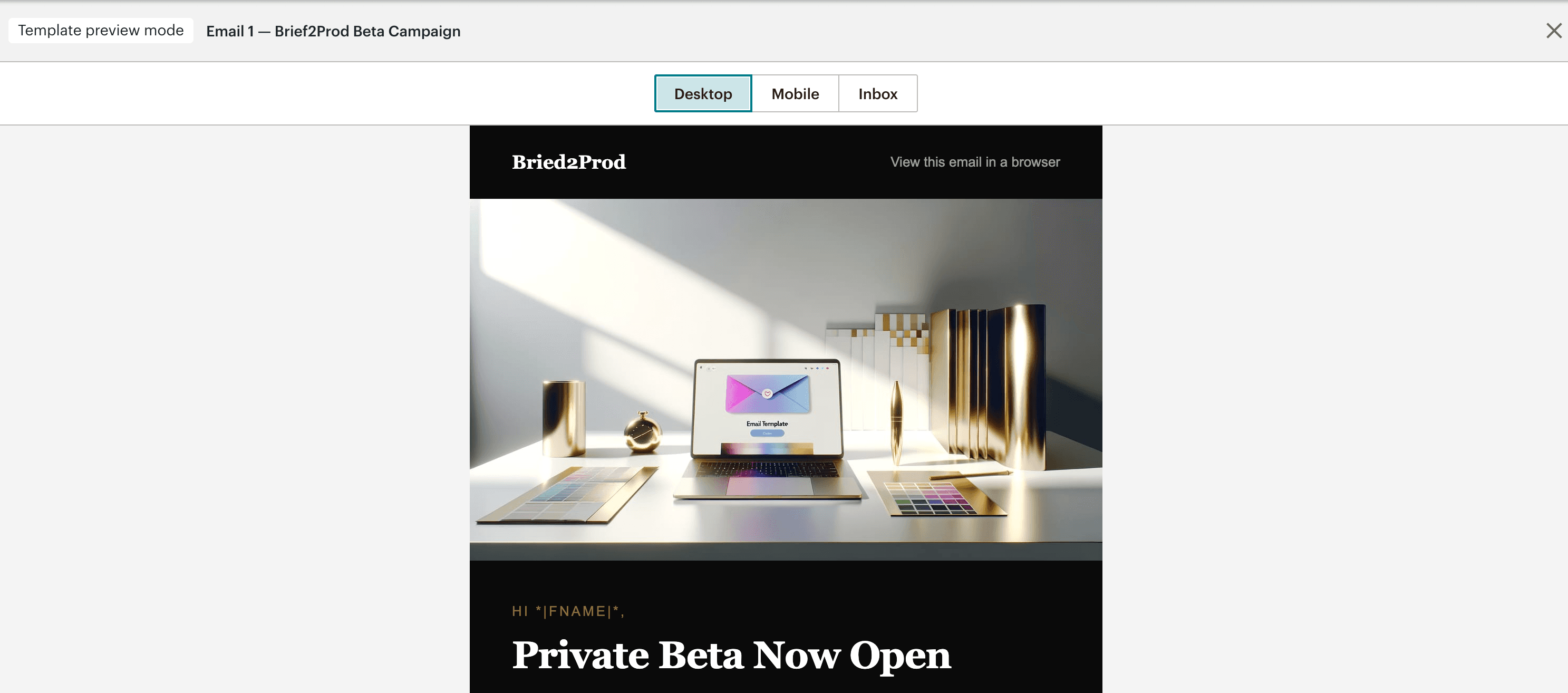
06Ship
Mobile-first by default
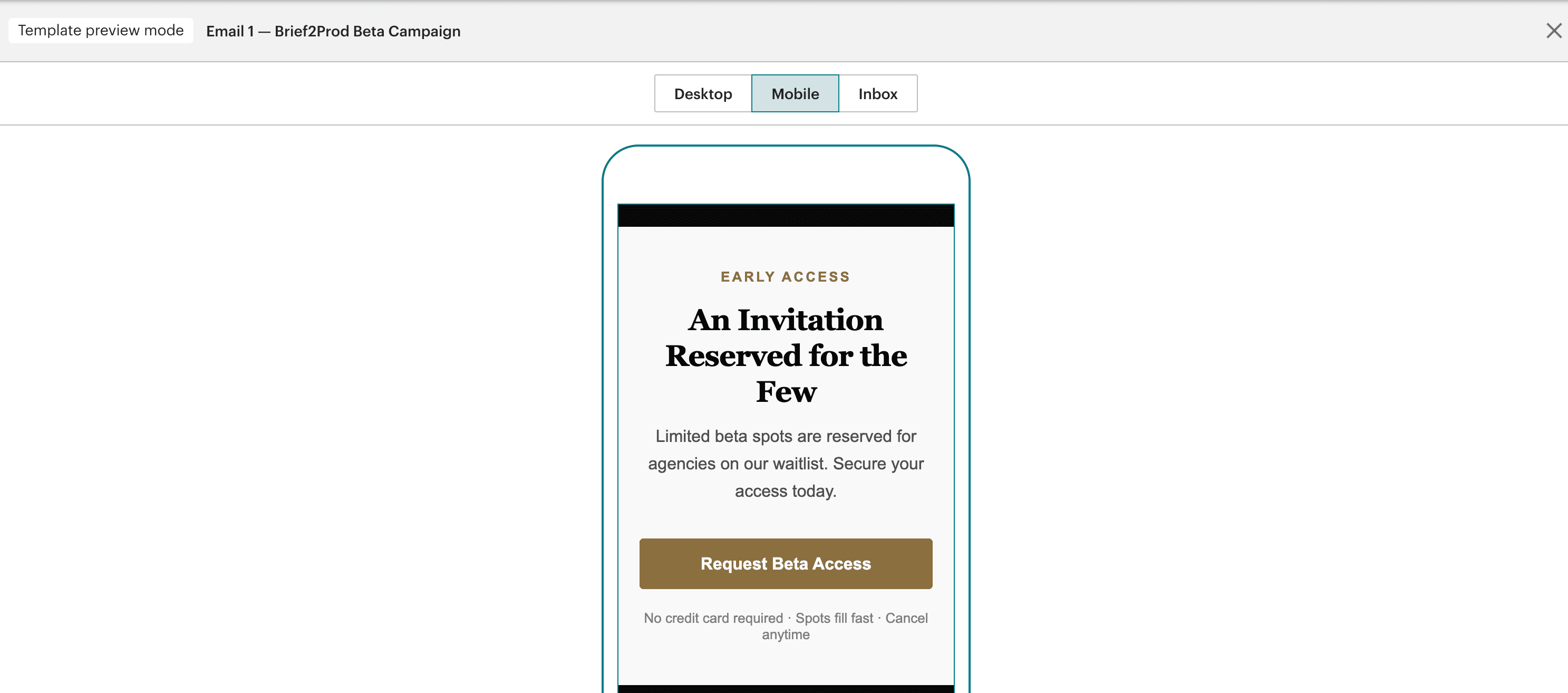
Every email is tested across 60+ email clients before you see it. Mobile, dark mode, older Outlook clients — all handled.
- Responsive breakpoints automatic
- Tap targets sized for thumbs
- Dark-mode adaptation
- iOS Mail, Gmail App, Outlook Mobile tested
Mobile
brief2prod.com / preview